
E911 Setup Guide
This guide will show you start to finish how to set up per-location E911.
There is a $1.50 per month charge to activate E911 on a DID Phone Number. There is no charge to make address updates.
Note: Do NOT test Emergency Dialing by dialing 911. State or City imposed fines may be applied to businesses dialing Emergency Services without a real emergency.
Use 933 to test Emergency Services dialing.
Dialing 911 Without a correct 'E911 Address' associated will result in a non-refundable $250.00 carrier-imposed fine to your account.
Testing with 933 will not cause any financial liability for incorrect details.
E911 Emergency Services dialing works like this:
- DID / PhoneNumber - Is associated to an address at the Carrier
- PhoneGroup - Associate the E911 DID to this number
- Extension - Associate the Extension to the correct PhoneGroup that maps to the E911 DID
When an extension places an Emergency Call or Test Emergency Call call the system will
- Locate the PhoneGroup for the Extension
- Select the associated E911 DID for the call
- Ignoring the standard CallerID set for the PhoneGroup, the system will instead select the E911 DID for the CallerID
- The outgoing call to Emergency Services will Automatically send the previously registered address to the dispatcher
It's important to keep your address current/correct using the 'DID Editor' and selecting 'E911 Address'. If the facility you are managing has moved, or a remote user has a new work location, ensure to keep the address details updated, otherwise this will seriously delay receiving emergency services to your location because the dispatcher will have to transfer the call to the correct regional office.
Step 1 - Set The E911 Address for the DID
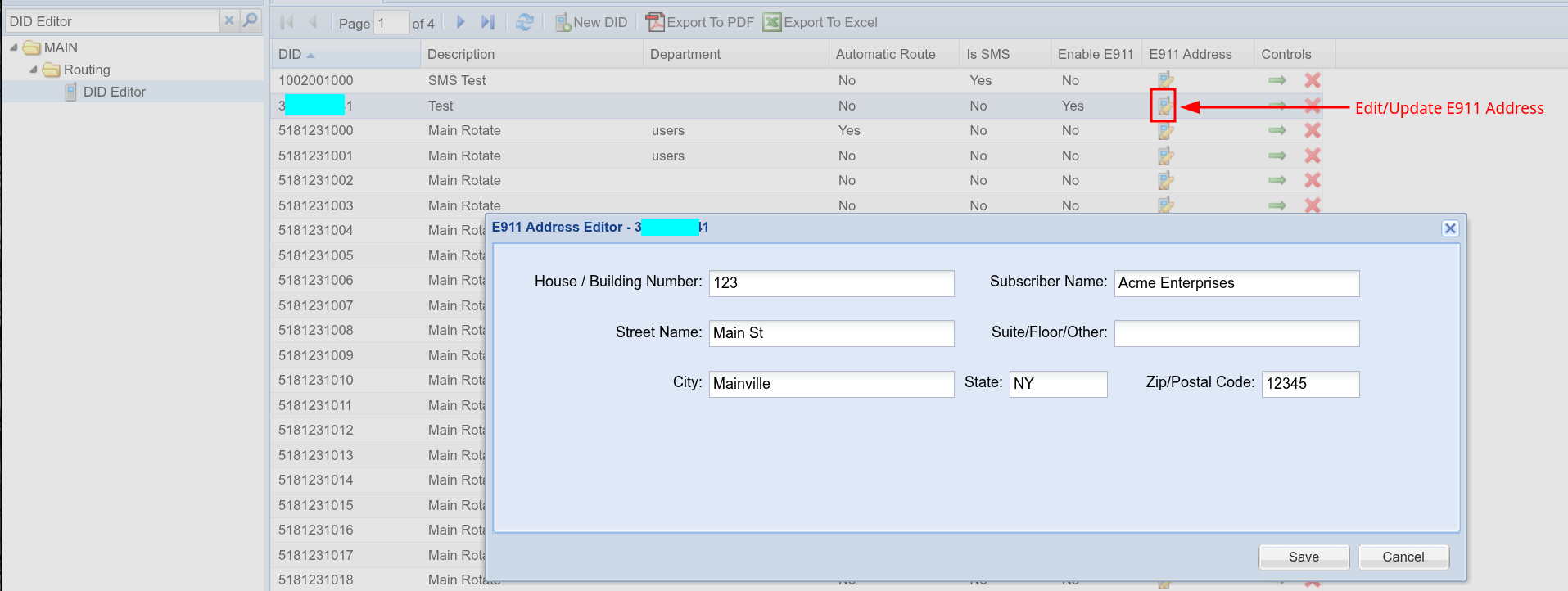
It's a good idea to set the main grid row Description to notate which address is being used, it makes it easier to locate this DID in Step 2
Make sure to set the address as the first step. 'Enable E911' might look to be the place to start, but this field is only for removing E911 from a DID Phone Number.
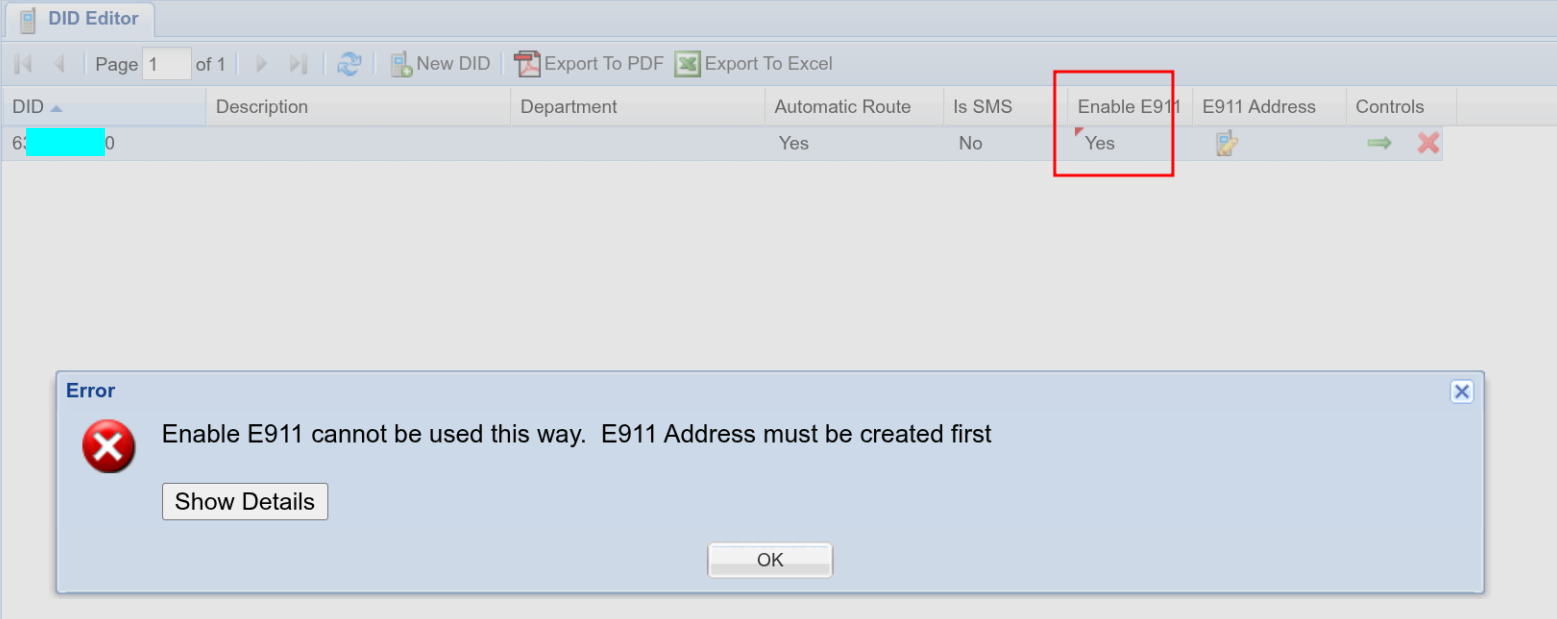
Step 2 - Associate the E911 DID to the PhoneGroup
Or, create new PhoneGroup for this purpose.
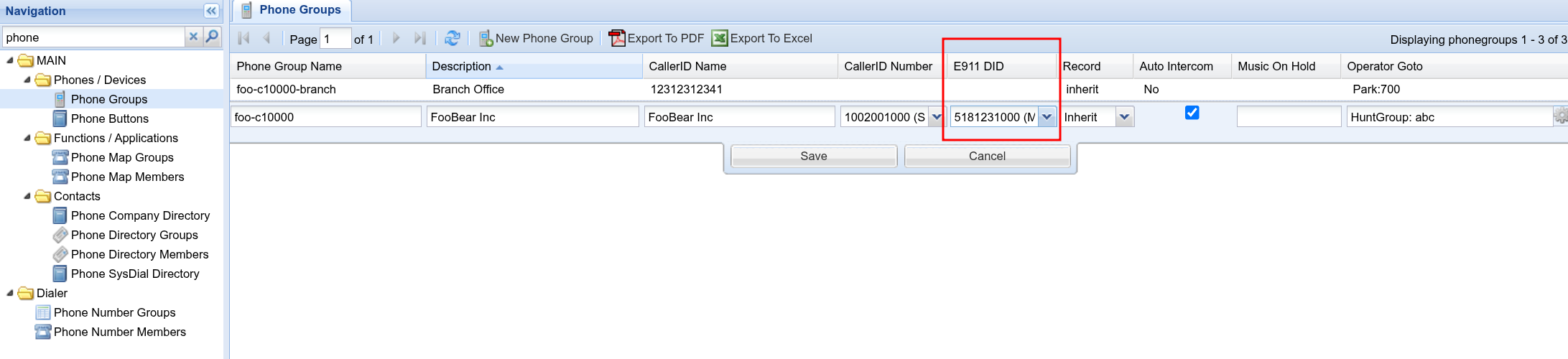
Even if the E911 DID is the same as the CallerID, it still must be selected to ensure correct routing
Step 3 - Associate the Extension/Extensions with the PhoneGroup
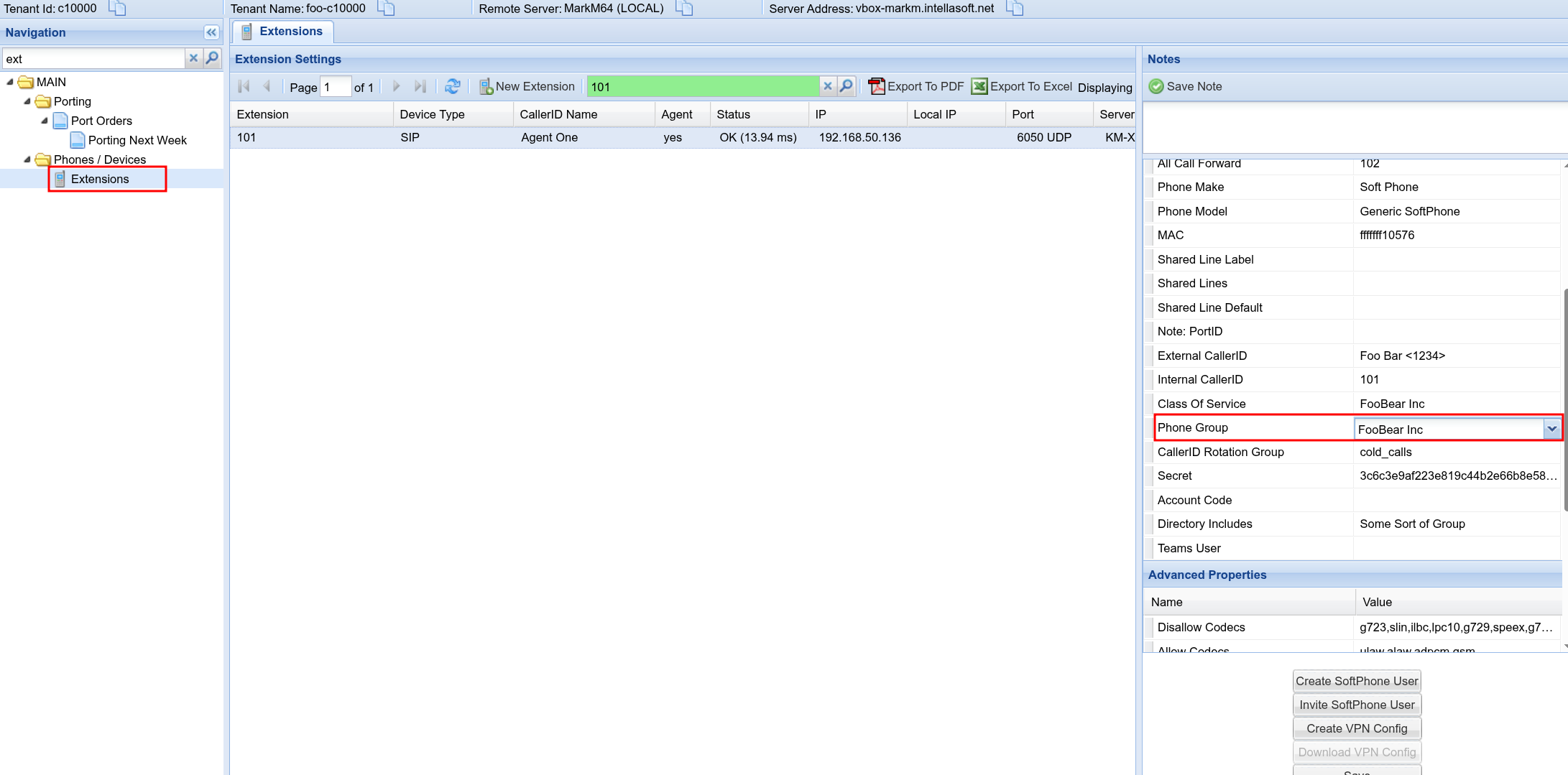
Now you're all set!
Keep in mind that placing regular non-emergency calls, will always use 'CallerID' of the Phone Group
And Placing E911 Calls or Testing E911 calls will use the E911 DID and associated E911 Address for these calls
Make sure to dial 933 to validate the setup is correct.
No comments to display
No comments to display