
Dialer Control
Dialer Control
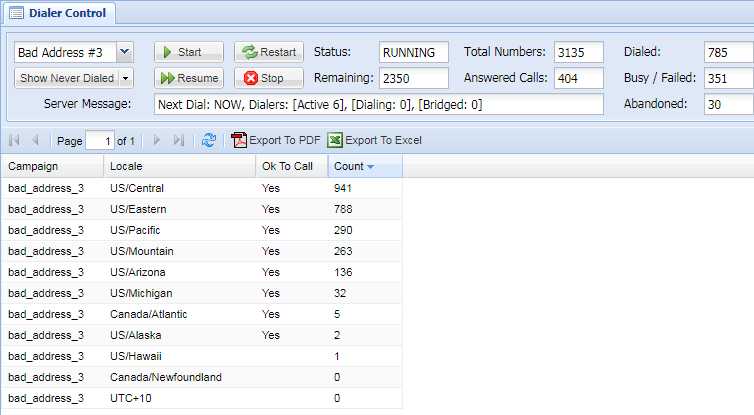
This is the main operations screen for starting and stopping the Dialer as well as getting real-time status, stats, and phone number lists. The lists include: who has been dialed, the results of those dialed numbers, who is still waiting to be dialed, and more. It's a great way to get insight into exactly what is happening right now.
Tip: The status, stats, and data lists are updated every few seconds when a campaign is running. If a campaign is stopped, there is still a periodic check just in case someone else started the campaign.

| Name |
|
Description |
||||||||
| Campaign Selector |
|
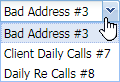
Selects a campaign to control. Once selected, the real time status + stats are shown and the Show Activity Button is available to choose the specific Dialer data to view. | ||||||||
|
Show Activity Button |
|
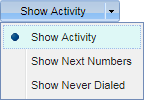
Choose the real-time Dialer data display. Each display is updated every few seconds to keep an eye on exactly what is happening. Additional detailed display info is available below. | ||||||||
| Start Button |
|
Starts running the Dialer for the selected campaign. The status will change to RUNNING and phone numbers will begin to be dialed. | ||||||||
| Restart Button |
|
Restarts the Dialer to the beginning of the campaign phone number list which will call all of the numbers again. | ||||||||
| Resume Button |
|
Resumes the Dialer exactly where the campaign left off when it was stopped. | ||||||||
| Stop Button |
|
Stops the Dialer and will no longer call numbers. Use Resume Button to pick up dialing where it left off. | ||||||||
| Status |
|
The current campaign status:
|
||||||||
| Remaining |
|
Numbers left to be dialed. | ||||||||
| Total Numbers |
|
Total numbers in campaign. | ||||||||
| Answered Calls |
|
Numbers that were successfully picked up. | ||||||||
| Dialed |
|
Numbers dialed in campaign thus far. | ||||||||
| Busy / Failed |
|
Numbers that were unreachable. | ||||||||
| Abandoned |
|
Numbers that connected to the Dialer but hung up before connecting to an agent. | ||||||||
| Server Message |
|
Real-time status line from the server:
|


















Real-Time Displays
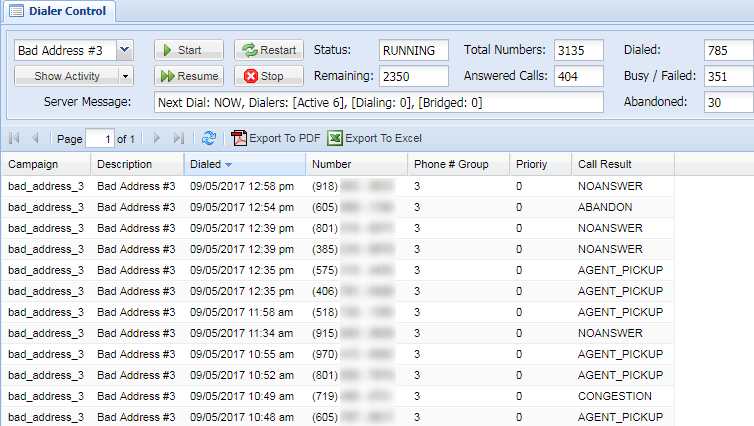
There are multiple real-time displays explained below.
Show Activity
| Field |
Description |
| Campaign | Campaign containing numbers that have been uploaded |
| Description | Brief description on corresponding campaign |
| Dialed | Time dial was placed |
| Number | Number that was dialed |
| Phone # Group | Set of phone numbers within a group |
| Priority | Priority of the number in relation to other numbers in a campaign/group |
| Call Result | The result of the dial attempt |
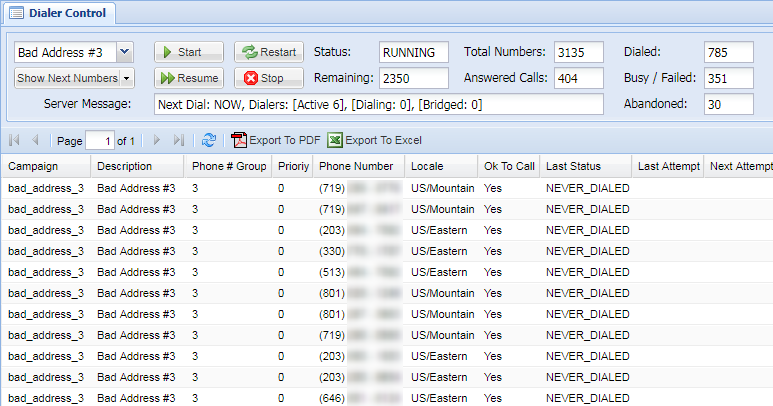
Show Next Numbers
| Field |
Description |
| Campaign | Campaign containing numbers that have been uploaded |
| Description | Brief description of the corresponding campaign |
| Phone # Group | Set of phone numbers within a group |
| Priority | Priority of the number to other numbers in a campaign/group |
| Phone Number | The number that was dialed |
| Locale | Region that the number corresponded with |
| Ok To Call | Yes / No based on call rules such as timezone etc. |
| Last Status | Status of last attempt (failed, connected, etc.) |
| Last Attempt | Date and time of last attempt |
| Next Attempt | Data and time of next attempt |
Show Never Dialed
| Field |
Description |
| Campaign | Campaign containing numbers that have been uploaded |
| Locale | Region that the number corresponded with |
| Ok To call | Yes / No based on call rules such as timezone etc. |
| Count | Number of numbers that were not dialed. |
No comments to display
No comments to display